Visitor management

Visitation

Guests check themselves in and sign before they are inside.

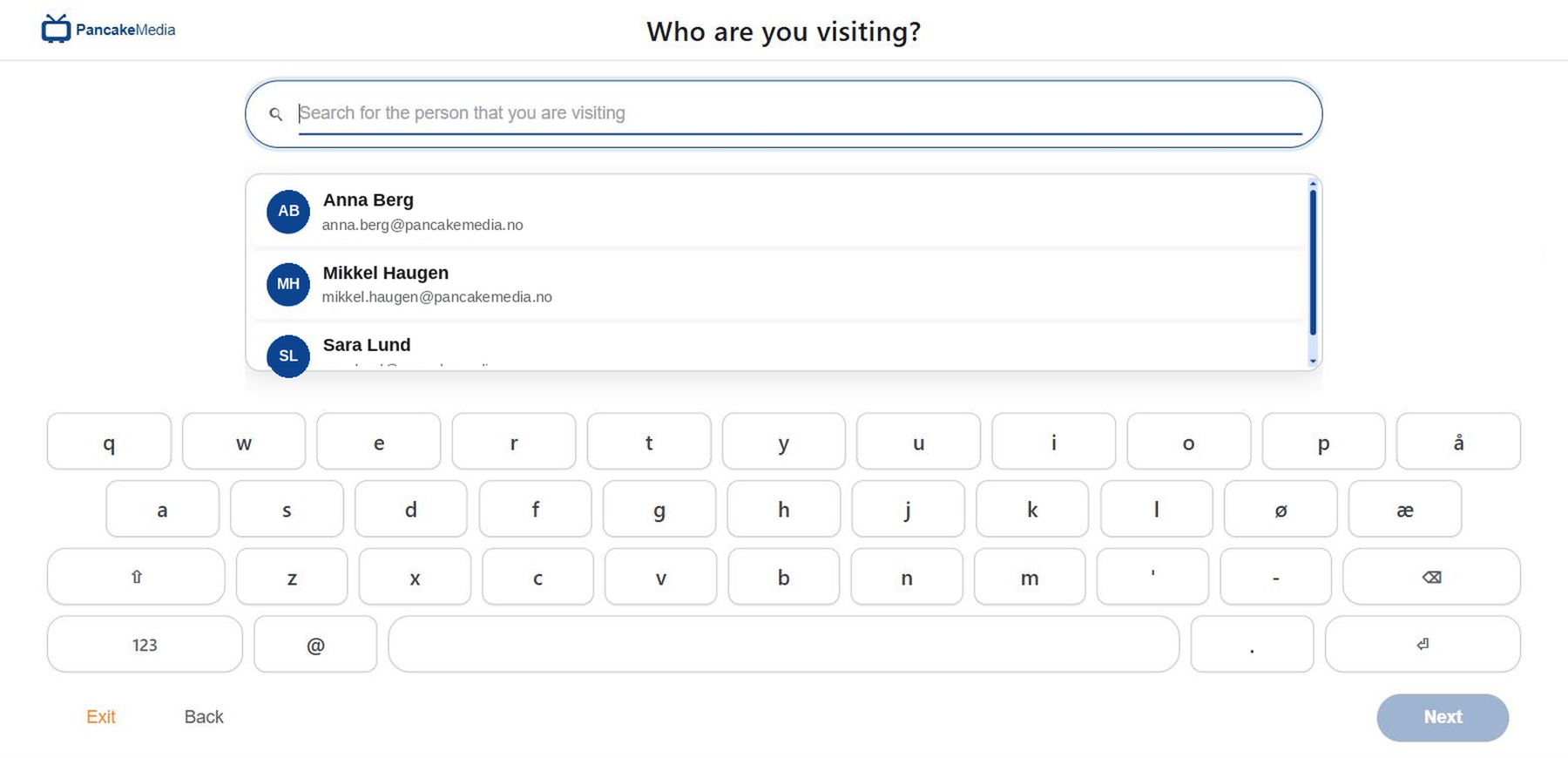
The Visitation terminal: "Who are you visiting?" with host search and an on-screen keyboard
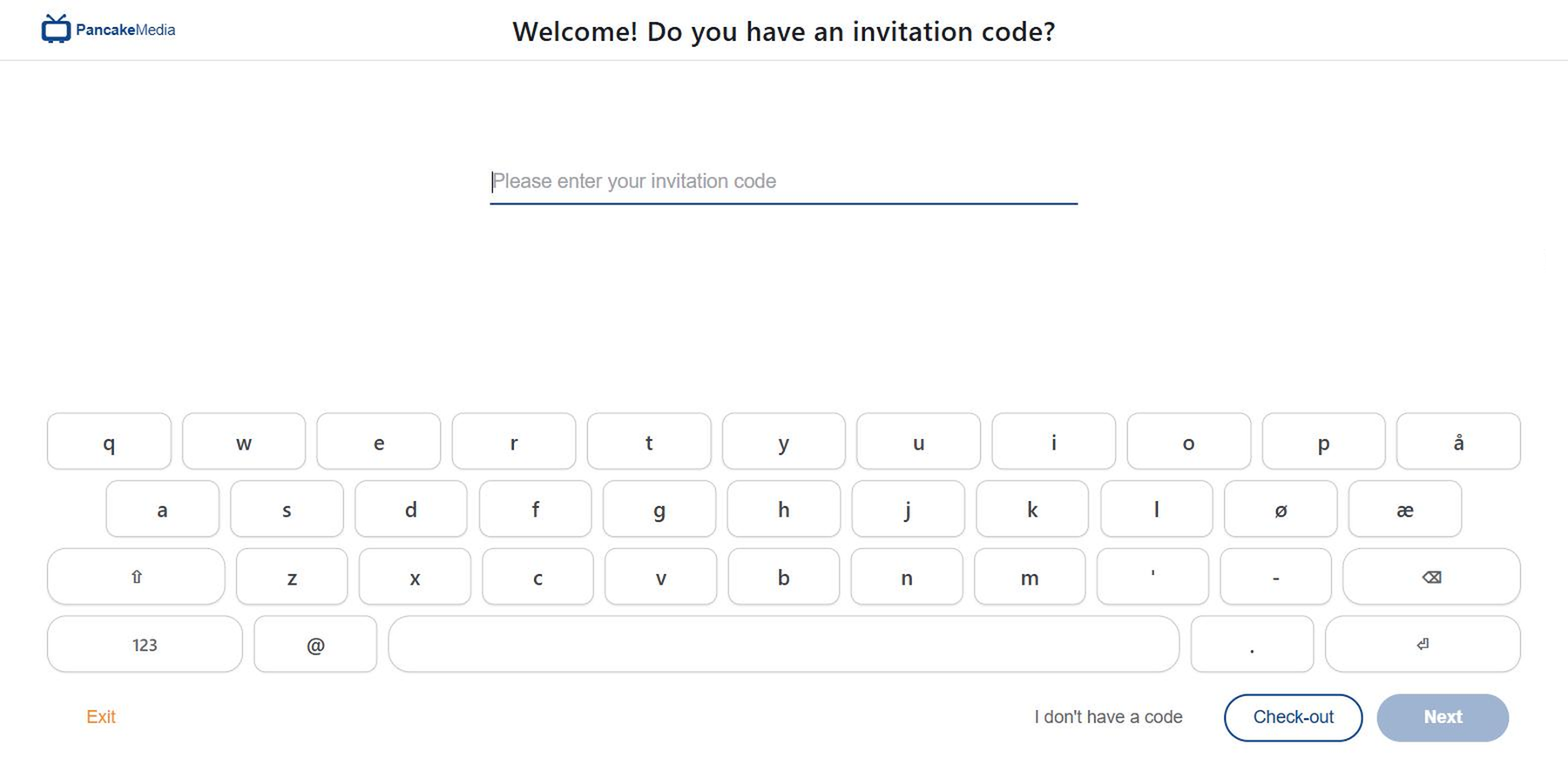
The welcome screen: invited guests type their code, everyone else taps "I don't have a code"

What Pancake Visitation does

Guests check themselves in at the door. They pick their host and sign your agreement before they're inside.

Put a screen in the lobby and guests check themselves in. They type in their name and company. Then they pick who they came to see and sign your NDA on the way through. Got a code from their invite? That makes it quicker. The host gets a ping straight away. And the terminal sits in the same Pancake App as your other devices.

Why teams buy it: Nobody has to stand behind a desk to look after a guest. And you're not chasing anything afterwards. They sign the agreement on the way in. Companies go on file once. After that they just pick it off a list, so your regular contractor stops typing an address you already have. The terminal is just another device in the app, so your lobby doesn't need its own login.
What the visitor does

The screen walks them through it. There's a full keyboard on the glass, so you don't need one on the wall. Invited guests type their code. Everyone else searches your staff list and picks a host. Then their details, with a photo and an ID scan if you want. ID won't scan? They type it in. A company that isn't on the list yet gets added right there. Then your agreement, in full.

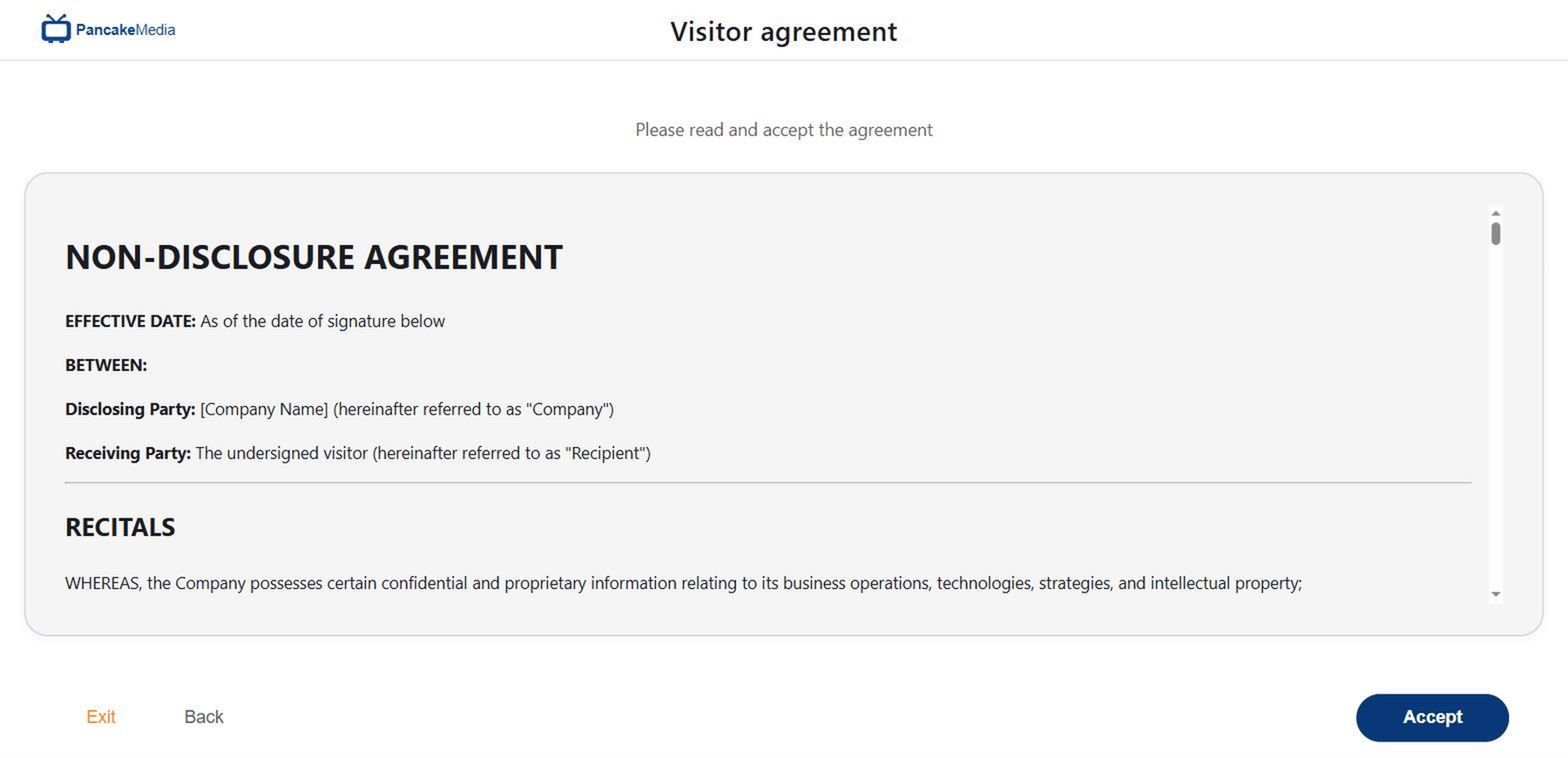
The visitor agreement (NDA) on screen before the visit starts

The visitor agreement

Your agreement shows up in full on the terminal. They read it there and sign it there. No tick-box pointing at some document somewhere else. And they can't go further until they've signed, so the NDA is in place before anyone walks into the building. You're not e-mailing it the week after. Every signature has a time on it and a name behind it.

Who is in the building

Everything the terminal takes goes straight to the app. Who's expected today. Who's in the building right now. And everyone who's been through. Open a visit and you can see who they came for and what they signed. Fire alarm goes off and you've got the list on your phone.

Quick specs: Runs in a browser on standard tablets and panels, with the keyboard on the screen. You register it as a Pancake Visitation terminal in a location and zone. Pick one logo and one colour and the rest follows. Photo and ID scan, or type it in. Companies go on file with address, e-mail and legal ID. They sign your agreement on screen. Check-out takes the invitation code. Leave a form half-done and the timeout clears it. Microsoft Azure, run from Pancake App.

Where it earns its place

  • Offices and headquarters

    Reception that feels staffed without anyone sitting there, and the NDA signed before the meeting.

  • Sites with contractors

    Firms who keep coming back go on file once. Every visit gets a reason.

  • Shared and serviced buildings

    Each tenant gets their own hosts and agreement. The screen still fits the building.

  • Studios, labs and workshops

    Get confidentiality sorted before anyone walks in.

Part of the Pancake Media Platform

Visitation shares devices, branding and the app with the rest of the platform. You sign in once.

  • Concierge

    The kiosk that shows people where to go once they're inside.

  • Digital Signage

    Runs the screens that point an arriving guest at the terminal in the first place.